The Scorecard
Quick Start
How to use The Scorecard on iPhone, iPad or the web, step by step.
About the pictures: every picture is a real screen of The Scorecard 2.31.4, in its Lake blue look, with made-up golfers. Updated 13 November 2026.
1. Join The Scorecard
Regular userSign in, or ask to join.
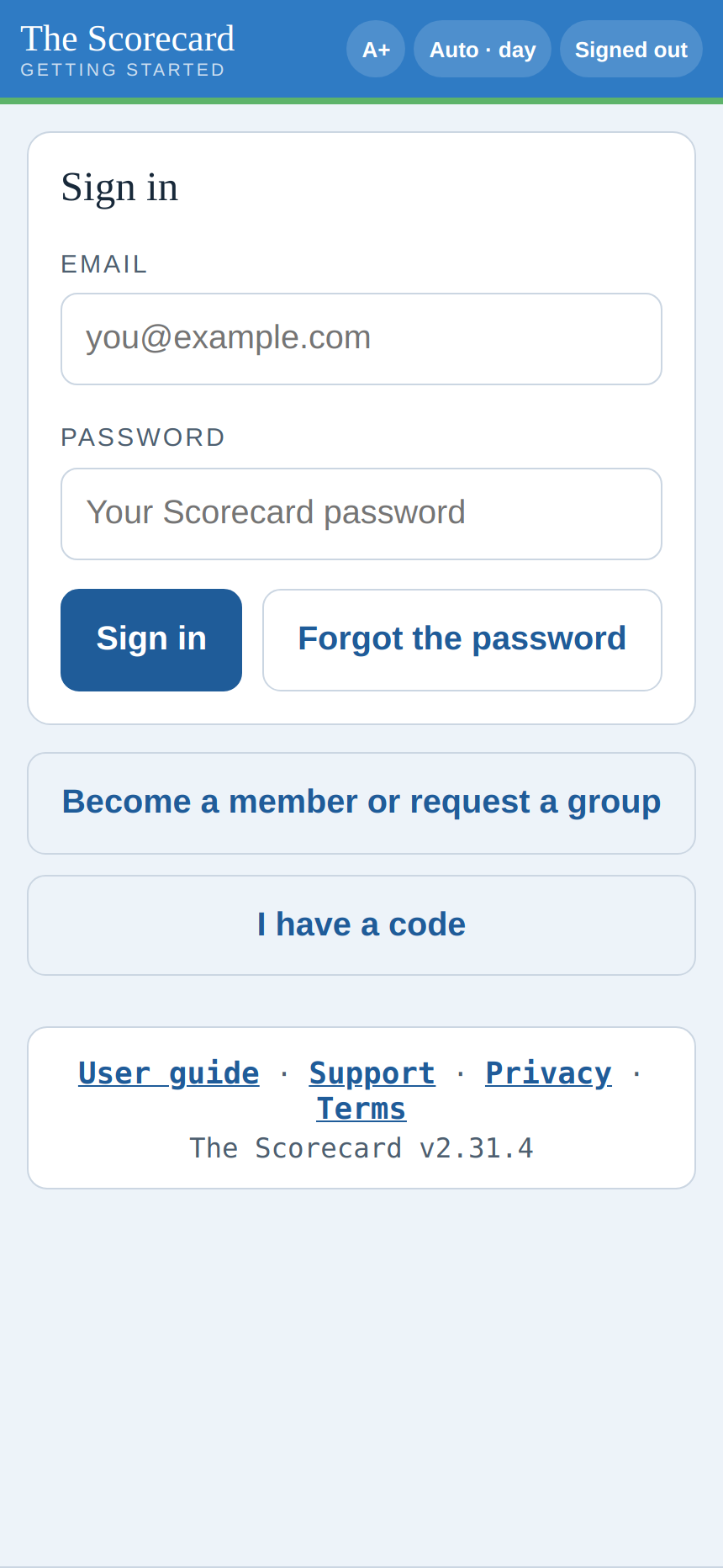
- Have an account? Type your email and Scorecard password and tap Sign in.
- Invited by your group? Tap the link you were sent: it names you, so there is nothing to type.
- Given a group code? Tap I have a code. Otherwise tap Become a member or request a group.
- Forgot your password? Type your email and tap Forgot the password, then follow the email.
2. Post your first round
Regular userThree short steps on the Enter tab.
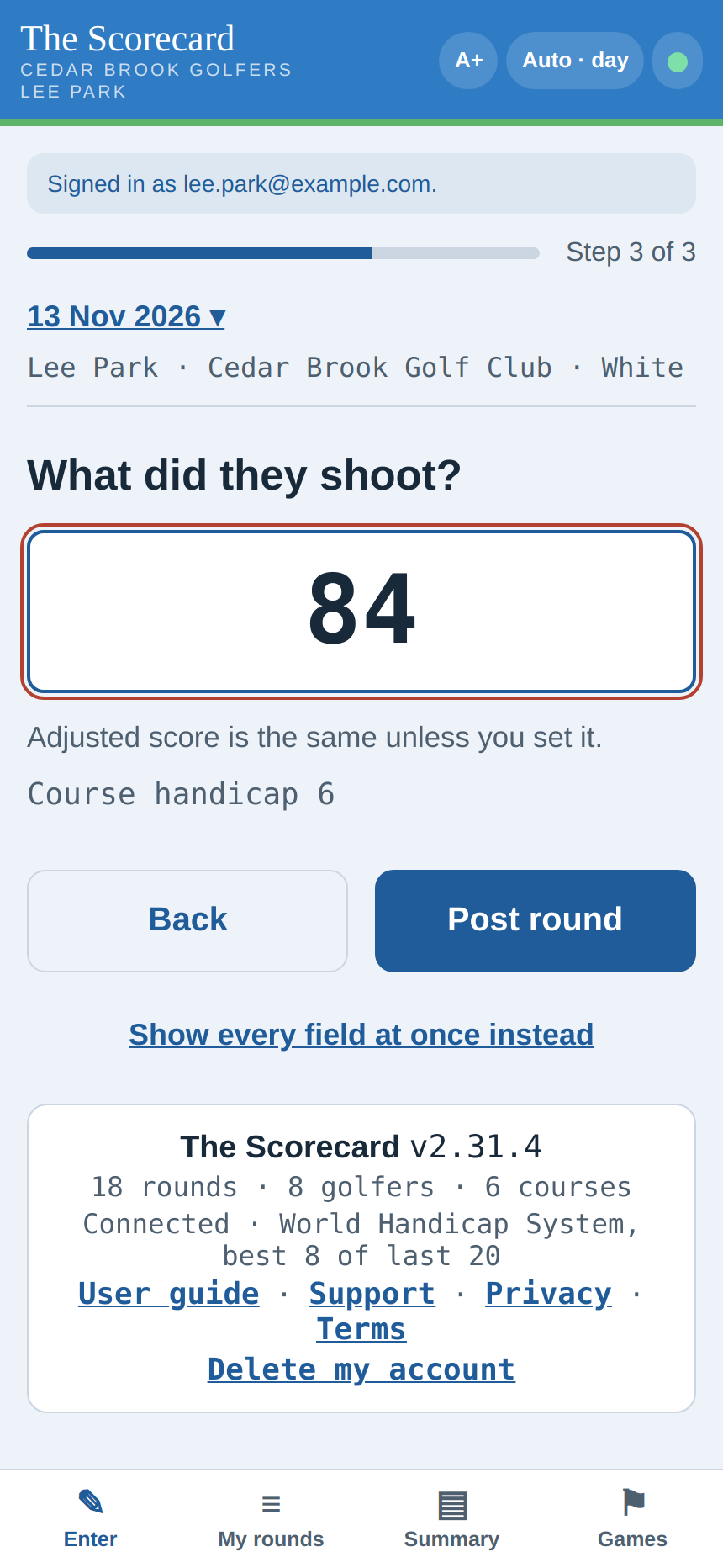
- Tap Enter. Choose the course and the tees you played, then tap Next.
- Type your score. If the round was part of a game, choose the game.
- Tap Post round once.
3. Check your handicap and history
Regular userMy rounds and Summary.
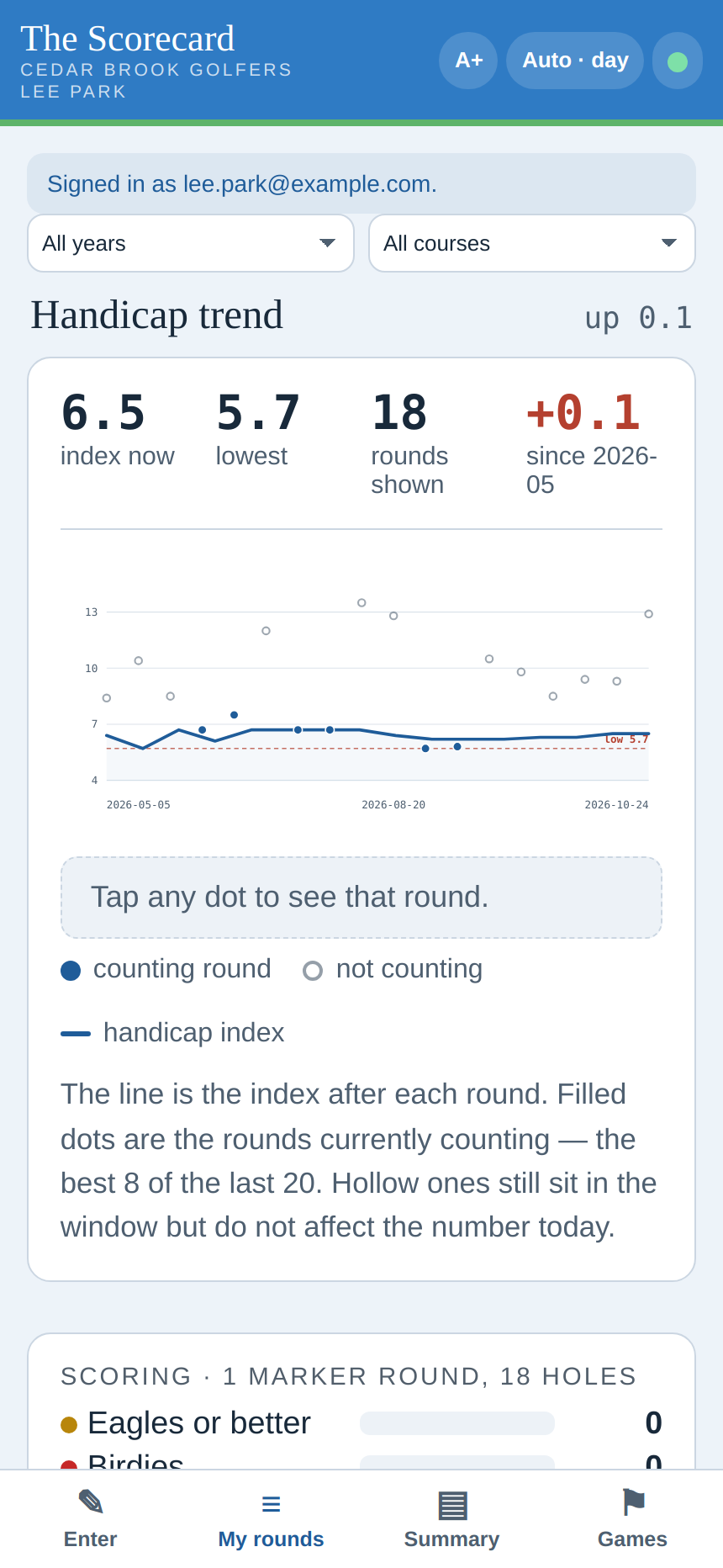
- My rounds lists every round, with a chart of your handicap index. Tap a dot to see that round.
- A round scored in The Marker shows ▦ Card: tap it for every hole.
- Summary shows the group ranking by handicap index.
4. Admin: invite a golfer
AdministratorInvitations are sent from the Manage tab.
- Tap Manage, then Show beside Golfers in this group.
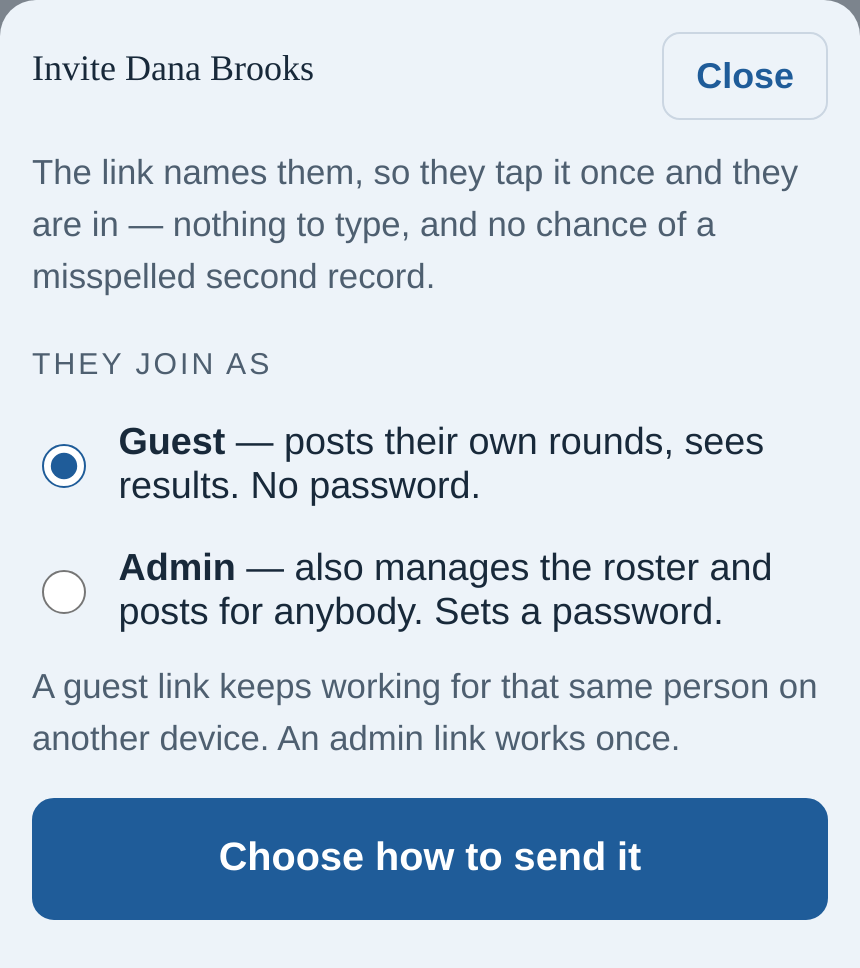
- Tap Invite beside the golfer, choose Guest or Admin, and tap Choose how to send it.
- A tick ✓ beside a name means that golfer has joined.
5. Admin: correct a score
AdministratorCorrections are made from History.
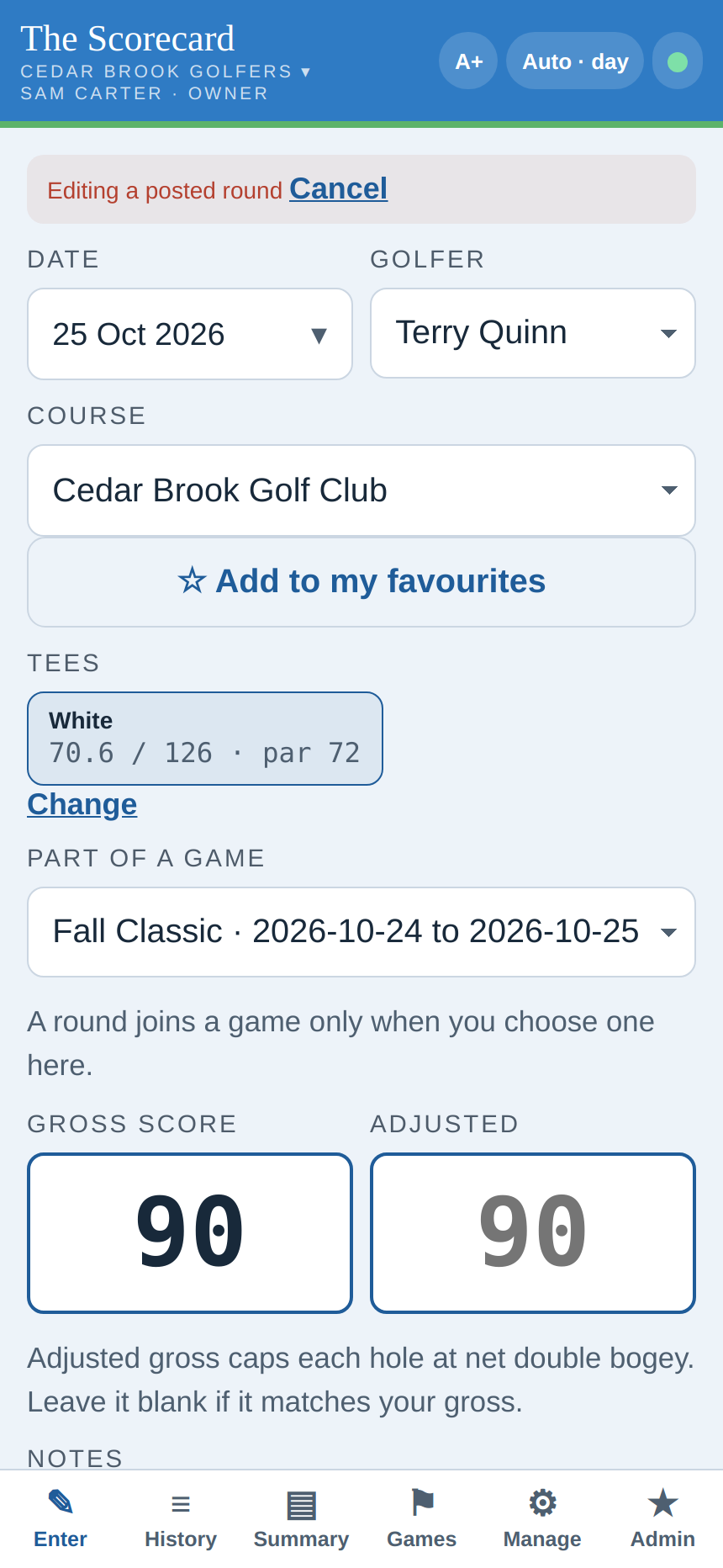
- Tap History and find the round. Tap Edit.
- Change what is wrong and save. Rounds scored in The Marker are corrected in The Marker.
6. Delete your own account
Regular userAt the bottom of every page.
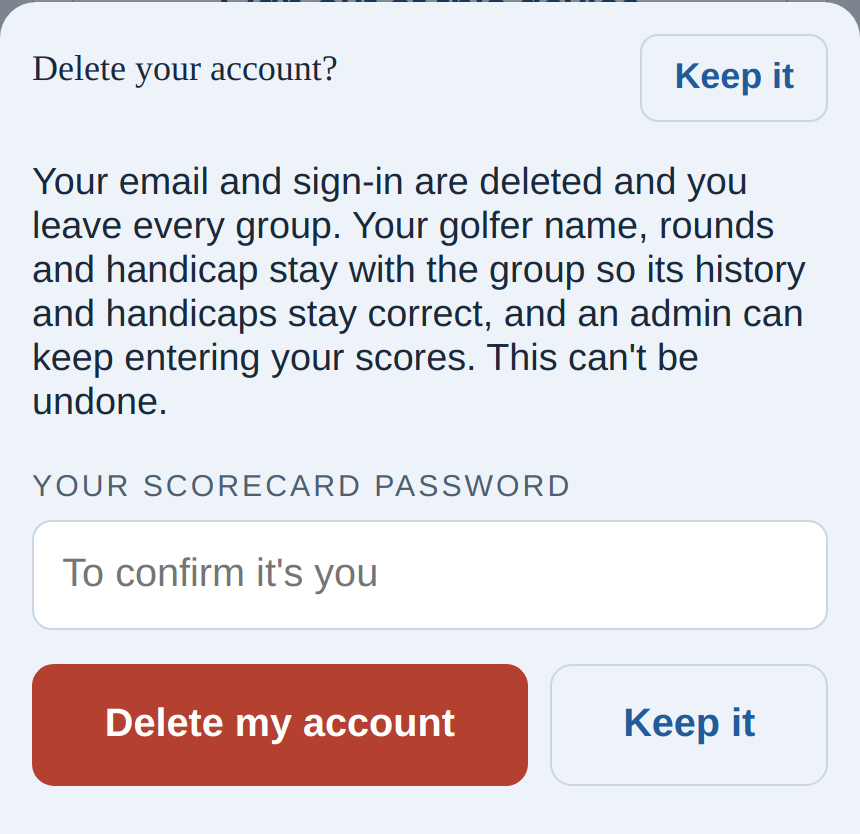
- Scroll to the bottom and tap Delete my account.
- Type your Scorecard password and confirm. Your golfer name, rounds and handicap stay with the group.
- Tap Keep it to stop. The full guide explains what is removed and what stays.